
Being told a tactic is against the rules is not very useful on its own, particularly when the tactic is widely used and the tools selling it are not hiding. It is more useful to understand what the rules restrict and why, so you can judge a new tool yourself rather than looking it up.
The short version: LinkedIn’s User Agreement restricts automated activity on the platform – software driving a logged-in member session, scraping, and bulk automated outreach. LinkedIn also publishes an official API for the things it does want automated, which is the clearest statement of intent available.
Read the current User Agreement yourself before making a decision; it is the authority and it changes. What follows is the reasoning, the tests that settle most cases, and what enforcement looks like in practice. The sanctioned surface itself is covered in LinkedIn automation.
Key takeaways
- The restriction is on automated activity – session-driving software, scraping and bulk automated outreach.
- LinkedIn publishes an official API for company pages. The existence of an endpoint is the clearest signal of what is intended.
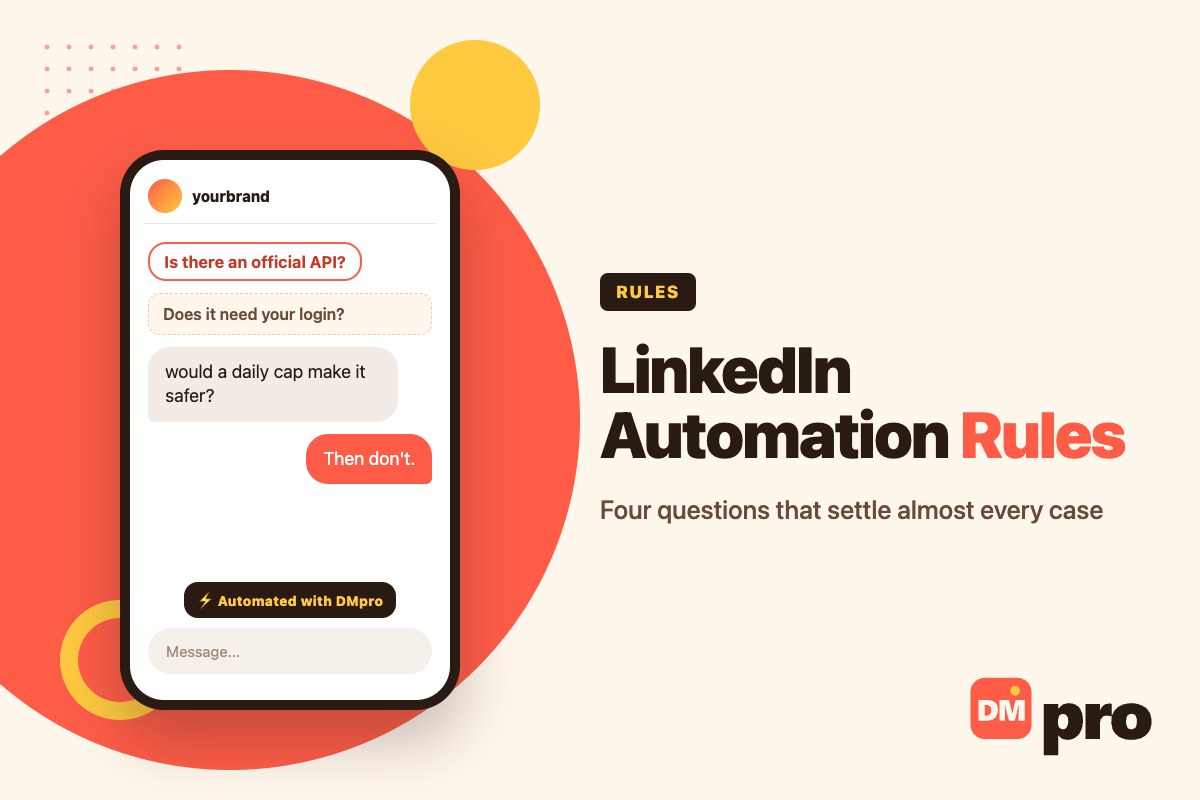
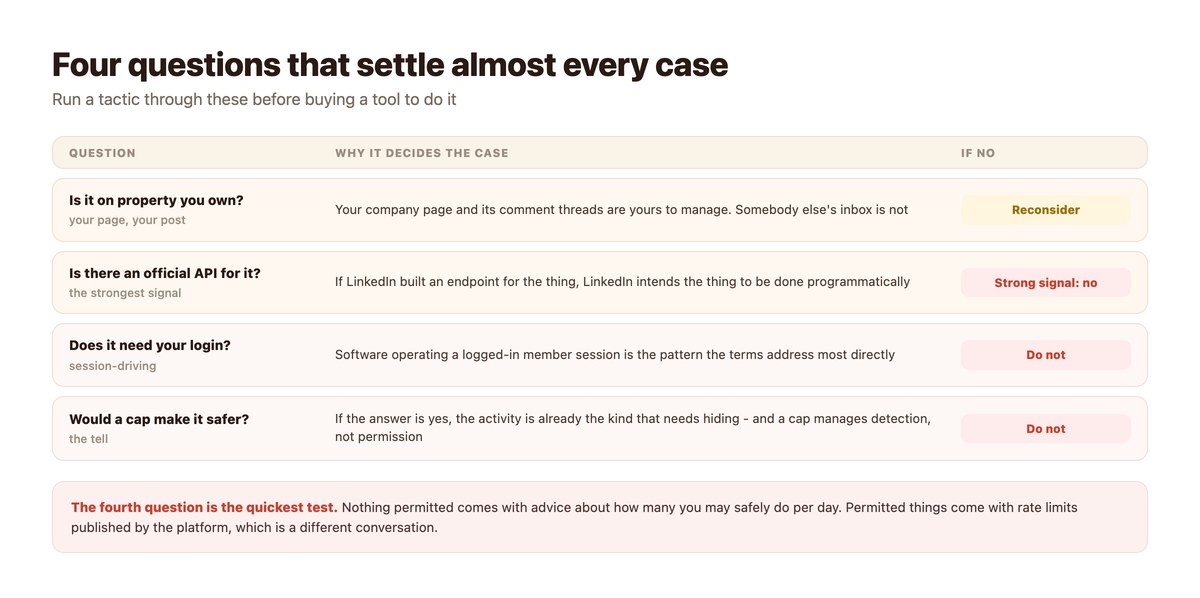
- Four tests: is it property you own, is there an API, does it need your login, and would a daily cap make it feel safer.
- The fourth test is the quickest – permitted activities do not come with advice about staying under the radar.
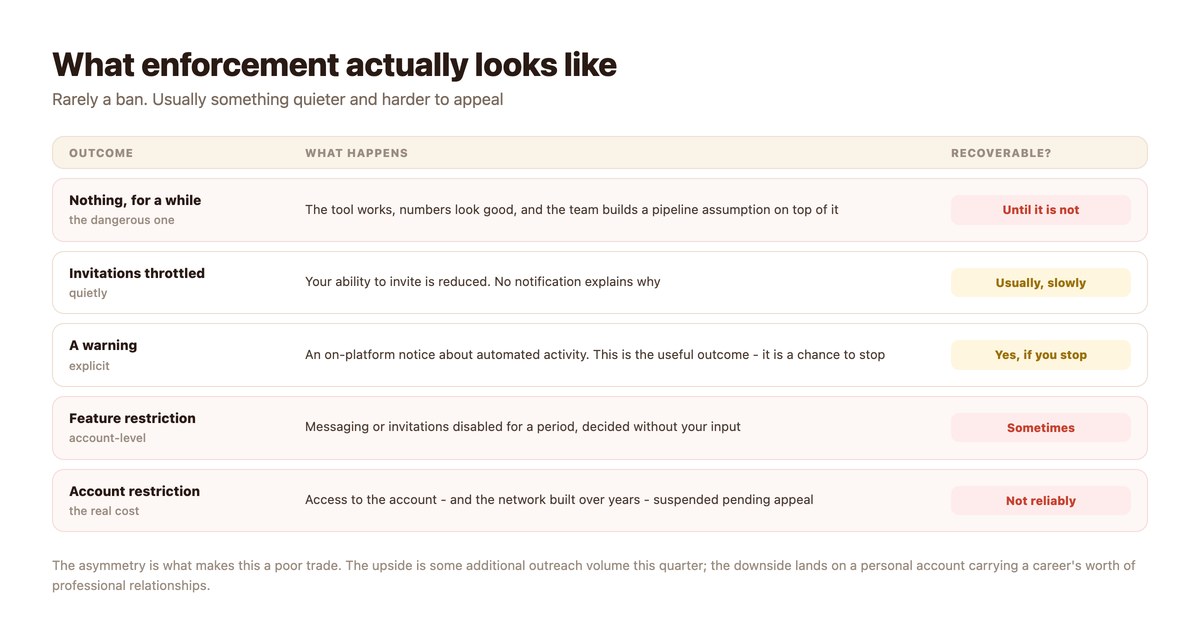
- Enforcement is usually quiet: throttled invitations before warnings, warnings before restrictions.
- The asymmetry is the argument. Extra outreach volume this quarter against an account carrying years of relationships.
- Always read the current User Agreement – it is the authority, and this page is not.
What the Terms Restrict
Described in general terms, because the current wording is the authority and you should read it.
Automated Activity on the Platform
LinkedIn’s User Agreement restricts using software, bots, browser plugins or scripts to operate on the service – including automating the actions a member takes while logged in. That covers connection-request tools, automated messaging sequences and profile-visit automation.
It is not a narrow anti-spam provision. The restriction is on the automation of member activity itself, which is why volume and politeness do not change the analysis.
Scraping and Copying Data
Extracting member data at scale is addressed separately and is, if anything, the part LinkedIn has defended most publicly over the years. Tools that build a prospect list by harvesting profiles sit squarely here.
Worth noting because a list bought from such a tool carries the same provenance problem even if you never ran the scraper yourself.
And What It Permits
Managing your own company page through LinkedIn’s published APIs. The Community Management API exists for exactly this: publishing to a page you own, and reading and replying to comments on your own posts.
The presence of a documented, supported endpoint is the strongest available evidence that LinkedIn intends something to be automated.
The Four Tests
They settle nearly every case without needing a lawyer.
Is It on Property You Own?
Your company page, your posts, your comment threads. Managing those programmatically is ordinary business administration, and LinkedIn provides the tools for it.
Someone else’s inbox, someone else’s connection graph and someone else’s profile data are not yours to operate on, however reasonable your intention.
Is There an Official API?
The most practical of the four. If LinkedIn built and documented an endpoint for the thing, LinkedIn is comfortable with the thing being done by software.
There is no official API for sending connection requests in bulk or for automated member-to-member messaging. The absence is not an oversight.
Does It Need Your Login?
A tool that asks for your LinkedIn credentials, or installs a browser extension that acts inside your session, is automating a member’s activity. That is the pattern the terms address most directly.
An official integration authorises through OAuth against a page you administer. The difference in what is being asked for is visible at setup.
Would a Daily Cap Make It Feel Safer?
The quickest test and the most revealing. If the answer is yes, the activity is already the kind that benefits from not being noticed.
Permitted operations have published rate limits set by the platform for capacity reasons. Prohibited ones have vendor-recommended daily caps set for detection reasons. They sound similar and are opposites.
What Enforcement Looks Like
Less dramatic than feared and worse structured than expected.
Mostly, Nothing – Then Something
The common experience is that a tool works for months. That is the dangerous outcome rather than the safe one, because a pipeline assumption gets built on top of it and a team starts planning against numbers that depend on continued non-enforcement.
When enforcement arrives it is rarely negotiable and rarely explained.
Quiet Throttling Before Anything Visible
Reduced ability to invite, with no notification and no stated reason, is a frequent first step. Teams usually interpret it as the market going quiet.
If outreach results fall without an obvious cause while an automation tool is running, consider that the cause.
The Cost Lands on a Person
This is the part worth sitting with. Company page automation risks a page. Member-level automation risks an individual’s account, which carries their professional network, their history and often their next job search.
Asking an employee to run that risk for a quarter’s pipeline is a decision someone should make explicitly rather than by installing a tool.
Common Tactics, Assessed
Using the four tests. Nothing here depends on how carefully it is configured.
| Tactic | Owned? | API? | Verdict |
|---|---|---|---|
| Reply to comments on your company post | Yes | Yes | Permitted |
| Schedule posts to your own page | Yes | Yes | Permitted |
| Auto-send connection requests | No | No | Restricted |
| Automated DM sequences to members | No | No | Restricted |
| Auto-view profiles to prompt a look back | No | No | Restricted |
| Scrape profiles into a prospect list | No | No | Restricted |
| Buy a list someone else scraped | No | No | Same problem, outsourced |
What the permitted set can actually achieve is in LinkedIn comment automation – it is a smaller surface and a real one.
Assessing a Tool Before You Buy
Ten minutes, mostly reading the setup screen.
- Ask what it connects to. A company page via OAuth, or your personal account? That single answer decides most of it.
- Look for the words ‘safe limits’ or ‘human-like’. Both describe managing detection. Neither describes permission.
- Check whether an official API covers the feature. If LinkedIn documents an endpoint for it, it is intended. If not, ask how it works.
- Ask whose account bears the risk. Usually an employee’s personal profile. They should be the one agreeing to that.
- Read the current User Agreement. It is the authority, it changes, and this page is not a substitute for it.
- Decide deliberately, and write the decision down. If you proceed anyway, do it as a recorded risk decision rather than by default.
Where DMpro Sits
On the permitted side, with a smaller surface because of it.
Company Page, Official API
DMpro connects a LinkedIn Company Page through the Community Management API. It triggers on comments on your own posts and replies publicly on those comments, optionally with a tracked link or a webhook response.
It passes all four tests: property you own, official API, no member session, and no daily cap required to stay unnoticed.
And What It Will Not Do
DMpro does not send LinkedIn DMs. The connection is comment-trigger only, DM sending is switched off in configuration, and LinkedIn is the one platform shipped disabled by default.
That is a product decision following from the rules rather than a feature gap waiting to be filled. If you need to start conversations with people who have not contacted you, contactID works through company contact forms – a channel published precisely so that strangers may use it.
Automate the Part You Are Allowed To
Your company page, your posts and your comment threads are yours to manage, and LinkedIn publishes an API for exactly that. Everything else in this category is asking you to bet an account on not being noticed.
DMpro automates the permitted surface – keyword comment triggers, public replies, tracked links – through LinkedIn’s own API, and does not offer to send LinkedIn DMs.
Conclusion
The rule to carry around is simpler than the terms: automate property you own, through an API the platform published, without driving anybody’s logged-in session. That covers the permitted set and excludes essentially everything sold as LinkedIn automation.
The daily-cap test is the fastest way to assess a new tool. A platform publishes rate limits for capacity; a vendor recommends daily caps for camouflage. If the advice is about how many you can get away with, you have your answer.
And be clear about who carries the risk. Company page automation risks a page; member-level automation risks a person’s own account and the network behind it. That is a decision to make out loud, not one to make by installing something.
Frequently asked questions
Does LinkedIn allow automation?
It allows managing your own company page through its published APIs – publishing and replying to comments on your own posts. Its User Agreement restricts automated member activity, which covers connection-request tools, DM sequencers and profile-visit bots.
How can I tell if a LinkedIn tactic is allowed?
Four questions: is it on property you own, is there an official API for it, does it need your personal login, and would a daily cap make it feel safer. A yes to the last one is the clearest warning sign.
Are tools with ‘safe daily limits’ compliant?
No. A cap manages the chance of detection rather than permission. Platforms publish rate limits for capacity reasons; vendors recommend daily caps for camouflage.
What happens if LinkedIn detects automation?
Usually something quiet first – reduced ability to invite, with no explanation – then a warning, then feature or account restriction. Appeals are possible and not reliable.
Is scraping LinkedIn profiles against the rules?
Yes, extracting member data at scale is restricted, and buying a list someone else scraped carries the same provenance problem even if you never ran the tool.
Can I automate my own company page?
Yes. That is what the Community Management API is for – publishing to a page you own and replying to comments on your own posts.