
Most lists of ecommerce chatbot examples describe flows that would not be permitted if you built them, because they assume you can message anyone at any time. These eight can all be built, and each one says where it stops.
They are ordered roughly by payback. The first three cover most of the volume in most stores; the last two are worth it only once the first three are running.
For the rules each of them runs under, see e-commerce DM automation.
Key takeaways
- Every flow here is triggered by the customer – none of them messages someone first, because that needs a template and opt-in.
- The first three cover the majority of inbound volume in a typical store.
- All of them run inside the free monthly service message allowance until you are busy.
- Each flow needs an exit to a human; the ones without exits are the ones customers complain about.
- Flows that answer from live store data beat flows that answer from a spreadsheet.
- Build one, measure it for two weeks, then build the next.
The Three That Pay for Everything
If you build nothing else, build these.
1. Order Status Lookup
Trigger: a keyword like ORDER or TRACK, or the phrase people actually type. Sends: a real delivery date, fetched by a webhook from your store or carrier.
Limit: it cannot notify anyone proactively – that is a template. Full build in looking up an order mid-conversation.
2. Stock and Size Check
Trigger: a question containing a product name plus a size or colour. Sends: the live product card with current availability.
Limit: only as accurate as the source. From a connected store it is live; from an uploaded sheet it is a snapshot that will eventually sell something you do not have – see Shopify DM automation.
3. Delivery Cut-Off and Shipping Costs
Trigger: anything containing “delivery”, “shipping”, “how long” or a date. Sends: your published cut-off and cost table.
Limit: none worth noting, which is why it is the highest ratio of value to effort in this entire list. One date, published once, answered forever.
The Three Worth Adding Next
Once the first three are running and measured.
4. Comment-to-DM on a Launch Post
Trigger: a keyword in a comment on a specific post. Sends: a public reply plus the product or code in a DM.
Limit: the person must comment first, and the public reply is visible to everybody – which is the point. Instagram and TikTok; the keyword should be one word, easy to spell, said in the post.
5. Product Finder Quiz
Trigger: “which one”, “help me choose”, or a button. Sends: two or three questions, then a real product card.
Limit: three questions is the ceiling before people drop out, and it needs genuine exits – see the product recommendation chatbot.
6. Returns Eligibility
Trigger: “return”, “exchange”, “refund”. Sends: days remaining on that order and the process.
Limit: it must never decide an exception, and anything mentioning damage or a missing item routes straight to a person – see returns automation.
The Two That Need Templates
Different category: these reach people who are not currently talking to you, so they need approval and opt-in.
7. Dispatch Notification
Trigger: the order ships. Sends: a utility template with tracking, ending in an invitation to reply.
Limit: approved template plus recorded opt-in. The closing question matters – a reply reopens the window and makes everything afterwards free-form. See post-purchase DM flows.
8. One Reason to Come Back
Trigger: weeks after delivery, once. Sends: a marketing template naming the specific thing that pairs with what they bought.
Limit: marketing opt-in specifically, not order-update opt-in, and one message – not a sequence.
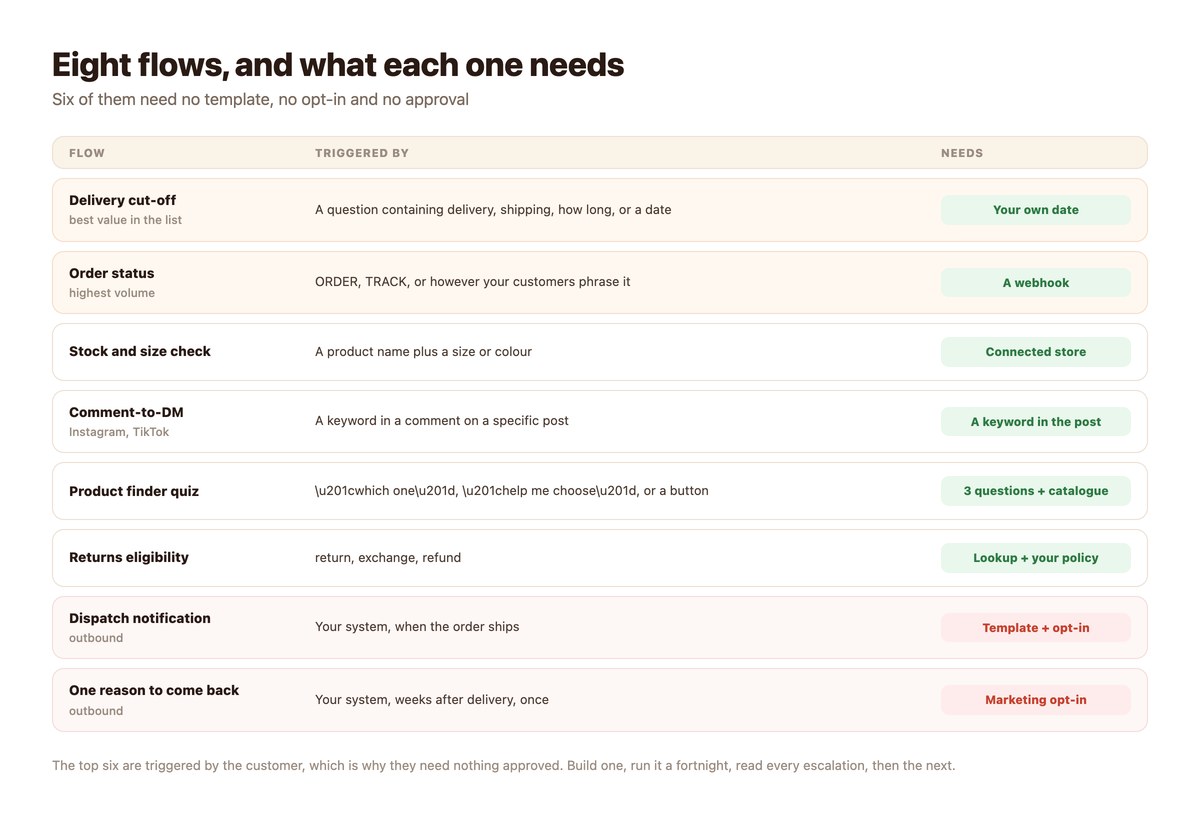
The Eight at a Glance
Sorted by what it takes to build, which is roughly the order to build them in.
| Flow | Triggered by | Needs |
|---|---|---|
| Delivery cut-off | Customer question | Nothing but your own date |
| Order status | Customer question | A webhook |
| Stock and size | Customer question | Connected store |
| Comment-to-DM | A comment | A keyword in the post |
| Product finder | Customer question | Three questions and a catalogue |
| Returns eligibility | Customer question | Order lookup plus your policy |
| Dispatch notice | Your system | Approved template + opt-in |
| Reason to come back | Your system | Marketing opt-in + template |
Whichever you start with, wrap the destinations in tracking links so you can tell which ones earn – see recovering lost sales with DMs.
How to Actually Roll These Out
One at a time. The stores that build six at once end up with six nobody tuned.
- Pick the one matching your loudest question. Read a month of the inbox first. It is usually delivery or order status.
- Build it with an exit on every branch. A flow nobody can escape is worse than no flow.
- Test it with wrong inputs, not right ones. Misspellings, blank replies, a nonsense order number. Those are the real paths.
- Run it for two weeks and read every escalation. The escalations tell you what the flow is missing. Nothing else does.
- Fix the copy before adding the next flow. Most underperforming flows are a wording problem, not a missing feature.
- Then build the next one. Six good flows take three months and work. Six rushed ones take a fortnight and get switched off.
Flows to Avoid
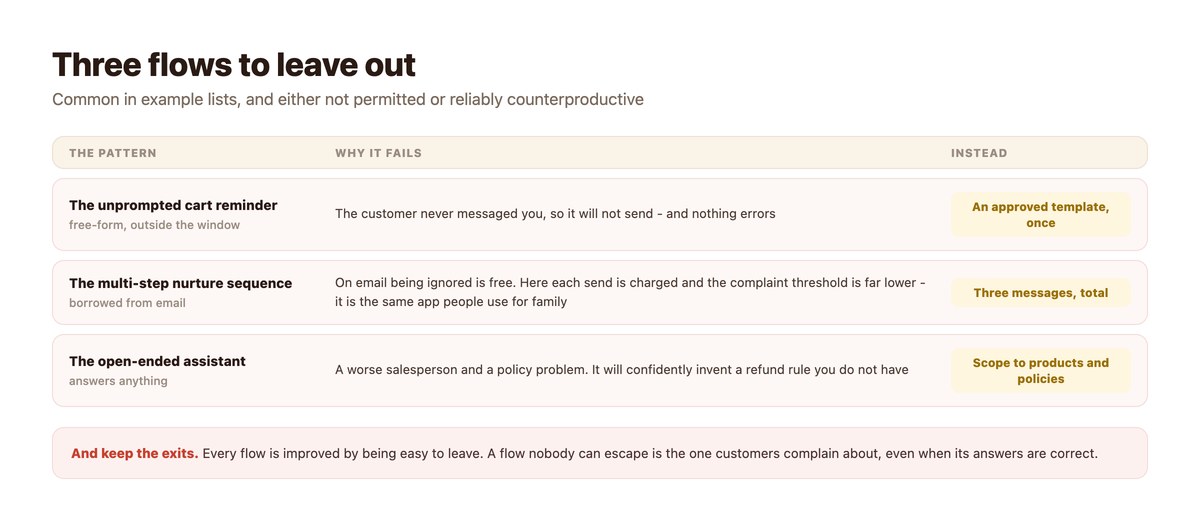
Common in example lists, and either not permitted or reliably counterproductive.
The Unprompted Cart Reminder
A free-form DM to someone who abandoned a cart and never messaged you is outside the window and will not send. The compliant version is a template, covered in abandoned cart DMs.
The Multi-Step Nurture Sequence
Borrowed from email, where being ignored is free. On messaging each send is charged and the complaint threshold is far lower, because it is the same app people use for family.
The Open-Ended Assistant
A bot that will answer anything about anything is a worse salesperson and a policy problem. Scope it to your products, stock and policies, and hand everything else to a person.
Picking the Order for Your Store
The eight are not a sequence. Which one goes first depends on what kind of store you are.
High Volume, Low Price
Order status and delivery cut-off, in that order, and almost nothing else for the first quarter. At this end the win is removing repetitive work, and the two flows that do it cover most of the inbox. Product discovery matters less because the purchase decision is small.
Measure the volume removed before adding anything – it is the clearest number you will get, and it sets the baseline for everything after.
Low Volume, High Price
The opposite. Here each conversation is worth a person’s attention, so the product finder and a fast, visible route to a human matter far more than deflection. Automation’s job is qualifying and routing, not answering.
This is the shape most service businesses need too, which is why the vertical playbooks for real estate and agencies look different from a retail setup.
International From Day One
If you ship widely, the delivery cut-off and shipping cost flows need to answer per destination, and your keyword triggers need the languages your customers actually write in. Both are clerical rather than technical, and both are usually discovered late – a market looks cold when it is only unmatched.
What to do about that is multilingual customer support.
Whatever You Build, Keep One Habit
Read every escalation for the first month of any new flow. It is the only reliable list of what the flow is missing, and it takes twenty minutes a week. Teams that do this end up with six flows that work; teams that do not end up with twelve that nobody trusts.
Start With the Question You Answer Most
Eight flows is a roadmap, not a weekend. The one that pays immediately is whichever question your team answers most often by hand – usually delivery, sometimes stock, occasionally both.
DMpro builds these on the official connections for Instagram, WhatsApp, Messenger, Telegram and TikTok, with real products from your store and a person brought in whenever the flow should not decide.
Conclusion
Six of these eight flows need no approvals, no templates and no opt-in, because the customer starts them. They also cover most of the volume in a typical store, which is why the sophisticated-sounding outbound ideas should wait.
Build one, give it two weeks, read every escalation it produces, fix the wording, then build the next. That loop is slower than it sounds and faster than rebuilding six flows nobody tuned.
And keep the exits. Every flow here is improved by being easy to leave.
Frequently asked questions
What is a good first e-commerce chatbot flow?
Whichever question your team answers most by hand – usually the delivery cut-off or order status. Both are pure facts, need no approvals, and run inside the free monthly message allowance.
Do these flows need approved templates?
Six of the eight do not, because the customer starts the conversation. Only the dispatch notification and the come-back message reach someone who is not already talking to you, and those need an approved template plus opt-in.
Can a chatbot send an abandoned cart reminder?
Not as a free-form DM. The customer never messaged you, so you are outside the window. The compliant version is an approved template sent once to someone who opted in.
How many flows should I build at once?
One. Run it for two weeks, read the escalations, fix the wording, then start the next. Stores that launch six at once end up with six nobody tuned.
What makes a flow annoying to customers?
No exit. Every branch needs a route to a person, including the ones that worked. Second: answering from stale data, which is what an uploaded catalogue does once it ages.
Should the bot be able to answer anything?
No. Scope it to your products, stock and policies. An assistant that will discuss anything is a worse salesperson and a policy problem, and it will confidently invent a refund rule you do not have.