
This is the one piece of LinkedIn automation that is both sanctioned and genuinely effective, and it is the least discussed – because it is less exciting than a tool promising three hundred connection requests a week.
The mechanic will be familiar from Instagram: someone comments on your post with a keyword, an automation replies. The difference is that on LinkedIn the reply is public and stays public, which changes what it should say and makes the whole play better than the private version if you write it properly.
Below: what the surface actually is, how to design a post that earns comments, how to write the reply, and where a person has to take over. The reason this is the permitted surface at all is in LinkedIn automation.
Key takeaways
- The reply is public and permanent. Write it as content for the silent readers, not as a receipt for the commenter.
- “Sent you a link!” repeated twenty times under one post advertises the automation and gives your audience nothing.
- The automation amplifies a good post and cannot rescue a weak one – the post is still the work.
- One keyword, stated plainly in the post. Clarity converts better than cleverness.
- Gate something you would have published anyway. Gating a demo request reads as a toll.
- Tracked links let you attribute clicks to posts, which is rare in B2B.
- Real questions in the thread are a person’s job – and they are where the value is.
The Surface, Exactly
Small enough to state in full, which is worth doing before you design anything.
One Trigger, One Action
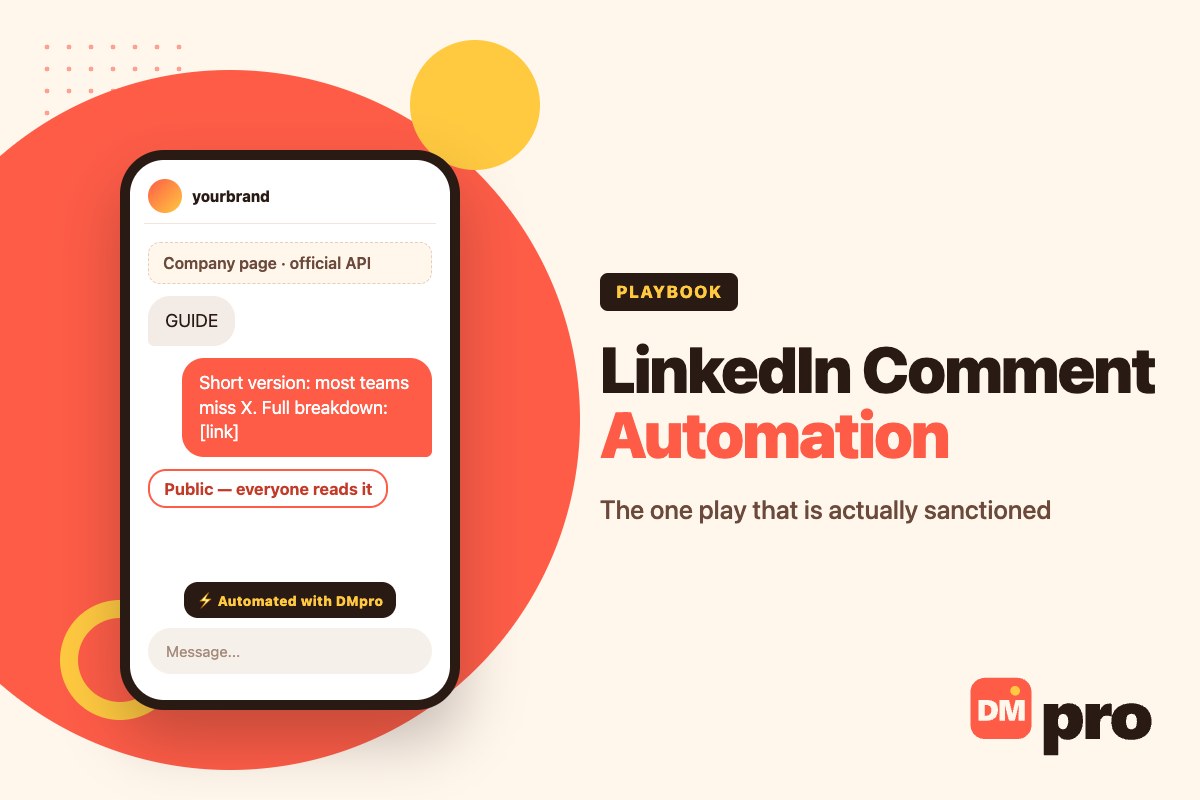
The trigger is a comment on a post on your own company page, optionally matching a keyword you choose. The action is a public reply on that person’s comment. A webhook can also run, and its response can be used as the reply, which is how you personalise from your own data.
Tracked links work, so clicks are attributable to the post. That is the entire permitted surface.
What Is Not Available
No DM sending. No attachments, no product cards, no rich media. No AI responses on this channel. Multi-step paths and wait-for-reply are limited compared with the other platforms.
DMpro does not send LinkedIn DMs. The connection is comment-trigger only, DM sending is switched off in configuration, and LinkedIn is the one platform shipped disabled by default.
Which Is Less Limiting Than It Sounds
A public reply carrying a useful answer and a tracked link is most of what a B2B lead magnet needs. The missing pieces matter for e-commerce flows – catalogue sends, multi-step qualification – and B2B content distribution is not that.
What the limits do rule out is treating LinkedIn like Instagram, which is the mistake most teams make first.
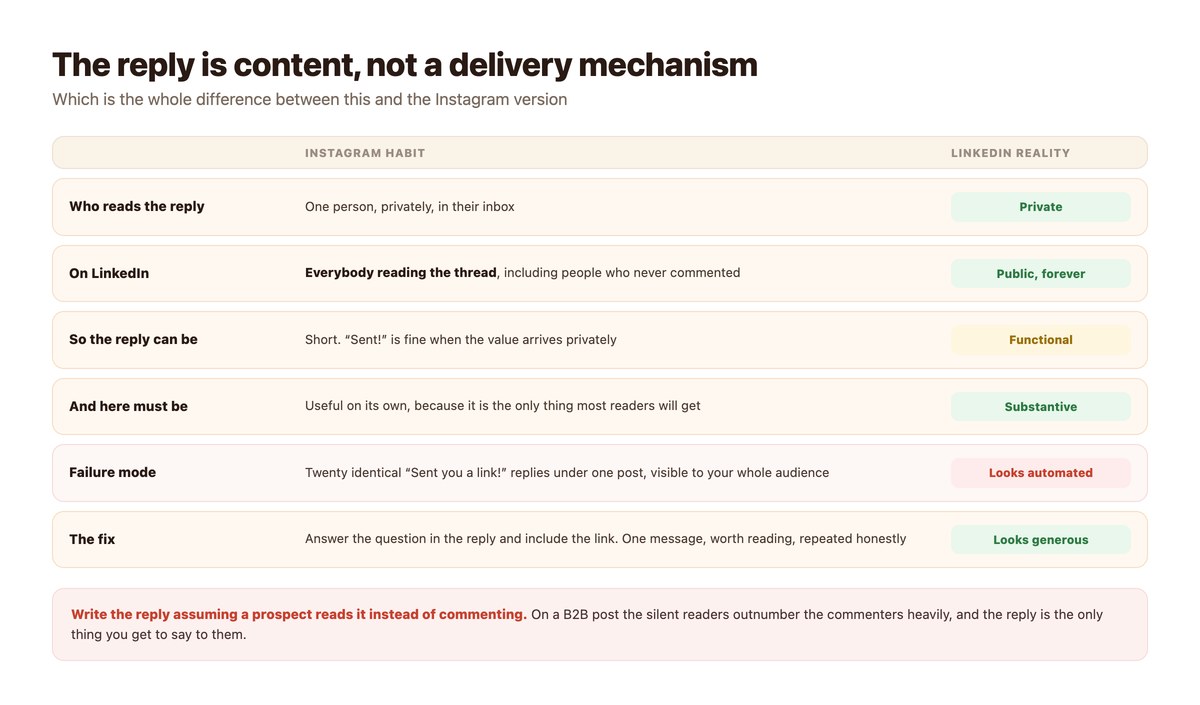
Write the Reply for the People Who Did Not Comment
The single most useful adjustment, and it costs nothing.
They Outnumber the Commenters Heavily
On a B2B post the ratio of readers to commenters is enormous, and every one of those readers sees your replies. A thread full of identical “Sent!” messages tells them you have automated something; a thread full of useful answers tells them you know something.
The commenter already converted. The reply’s real audience is everyone else.
So Answer, Then Link
“The short version: most teams get this wrong by X. Full breakdown here [link].” That reply is worth reading on its own, works for the person who commented, and works for the person who never will.
It also survives the screenshot. B2B content gets quoted elsewhere, and a reply that contains a thought travels better than one that contains a receipt.
Vary It Enough to Be Readable
Twenty literally identical replies read badly even when the content is good. Where the tool supports message variants, use two or three that say the same thing differently.
This is a presentation decision rather than an attempt to look manual – the automation is permitted and there is nothing to hide.
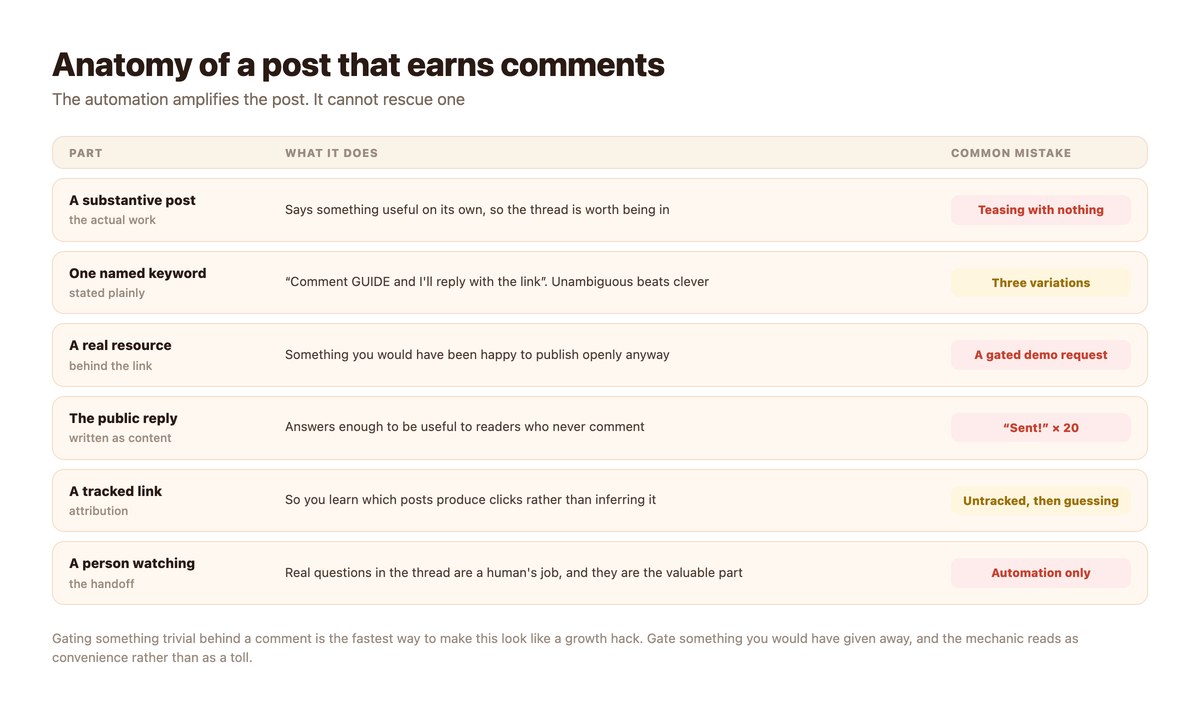
Designing the Post
Where the actual work is, and the part no automation improves.
The Post Has to Stand Alone
A post whose only content is “comment GUIDE for my framework” performs badly and reads worse. The posts that work say something substantive and then offer the longer version.
Put differently: the comment mechanic should feel like a convenience for people who want more, not like a toll on people who want anything.
One Keyword, Said Plainly
Pick one word, state it explicitly, and use it consistently across posts so your audience learns the convention. “Comment GUIDE and I’ll reply with the link” is the whole instruction.
Keyword match mode matters here as everywhere – whether the rule matches a whole word, any substring or the entire comment changes what fires. The definitions are in the DM automation glossary.
Gate Something Real
The resource behind the link should be something you would have been content to publish openly. A genuine guide, a template, a dataset.
Gating a sales call behind a keyword is transparent and it damages the post it is attached to.
What to Automate and What Not To
The line is between delivery and conversation.
| Comment type | Automate? | Why |
|---|---|---|
| The keyword, exactly | Yes | That is the whole mechanic |
| “Interested”, “please”, close variants | Yes, add them to the trigger | People do not read instructions carefully |
| A genuine question | No | A person answers this, and it is the valuable comment |
| A disagreement | No | Never automate into an argument |
| A complaint | No | Escalate to a person immediately |
| A competitor commenting | No | Human judgement, every time |
Turning a genuine question into a private conversation is a manual step and the subject of LinkedIn content to DM.
Building It
An afternoon for the setup, and the post takes as long as a good post takes.
- Connect the company page and enable the channel. Through the Community Management API. LinkedIn ships disabled, so this is deliberate.
- Write the post first, automation second. If the post is not worth reading without the offer, the offer will not save it.
- Set one keyword, plus the obvious variants. ‘Interested’, ‘yes please’ and the keyword misspelled. People are not careful.
- Write a reply that answers something. Two or three variants of a reply that is useful to a reader who never commented.
- Use a tracked link. Attribution in B2B content is usually guesswork. Here it does not have to be.
- Read the thread yourself, daily. The real questions are the point of the whole exercise and no automation handles them.
Doing It With DMpro
The supported set, with nothing rounded up.
Comment Trigger, Public Reply, Tracked Link
DMpro connects a LinkedIn Company Page through the Community Management API, triggers on comments with optional keyword matching, and replies publicly on the comment. Link tracking works, so you can see which post produced which clicks.
A webhook can also supply the reply, which lets the public answer draw on your own data instead of being a fixed string.
Enable It On Purpose
LinkedIn is the one platform seeded disabled, so connecting it is an explicit choice. That reflects the narrower capability set – it is worth knowing the limits before building rather than after.
The Rest of the B2B Motion
Comment automation handles distribution. For reaching companies that have not engaged with anything, contactID works through published contact forms. Neither involves automating anybody’s LinkedIn inbox.
The LinkedIn Play That Does Not Need a Daily Cap
A post worth reading, one keyword, and a public reply that actually answers something. It is permitted, it is measurable with a tracked link, and the silent readers get value from it too.
DMpro runs it through LinkedIn’s own API – keyword comment triggers, public replies, message variants and link tracking on your company page.
Conclusion
Comment automation is the LinkedIn play that works and is allowed, and the thing that makes it work is treating the public reply as content. The commenter is already convinced; the audience reading the thread is who the reply is really for.
Design the post to stand on its own, name one keyword plainly, gate something you would have given away anyway, and track the link so you learn which posts earn attention.
Then read the thread yourself. The automation handles the people who typed a keyword; the person who asked a real question is the reason to be on LinkedIn at all, and nothing should answer them but you.
Frequently asked questions
Is LinkedIn comment automation allowed?
Yes, on your own company page through LinkedIn’s Community Management API – replying to comments on your own posts is what that API is for. Automating member DMs or connection requests is not.
What should the automated reply say?
Something useful on its own, plus the link. The reply is public and permanent, so its real audience is everyone reading the thread rather than the person who commented.
Can it send a DM instead of a public reply?
No. The LinkedIn connection is comment-trigger only, DM sending is switched off, and LinkedIn ships disabled by default. Moving a thread into a private conversation is a manual step.
Should I use several keywords?
Use one in the post, and add the obvious variants to the trigger – ‘interested’, ‘yes please’, and the keyword misspelled. People do not read instructions carefully.
What should I gate behind the keyword?
Something you would have been happy to publish openly – a guide, template or dataset. Gating a sales call is transparent and damages the post.
Do I still need to read the comments?
Yes, daily. Genuine questions, disagreements and complaints must be handled by a person, and the genuine questions are the most valuable comments you will get.